
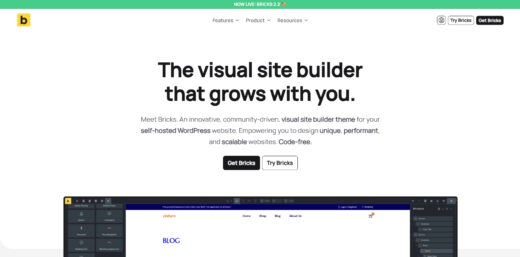
Bricks Builder
Buy / Get themeOverview
Bricks Builder is a high-performance, developer-focused site builder that offers exceptional speed and granular control over code output. However, its steep learning curve and history of breaking changes during major updates make it unsuitable for beginners or direct client handoff without significant safeguards. Of the 10 reported issues, 6 affect the theme directly, while 4 relate to ecosystem plugin compatibility.
Pros
- Exceptional performance and low bloat
- Granular control for developers
- Fast and transparent security response
Cons
- Steep learning curve for non-developers
- Major updates can cause breaking changes
- Slow official support during peak times
Analysis
Bricks Builder has established itself as a premier choice for professional WordPress developers and agencies seeking maximum performance and design control. Its architecture is fundamentally built for speed, producing clean, semantic code that consistently achieves top-tier Core Web Vitals scores. For developers comfortable with modern CSS and HTML, Bricks offers a powerful and flexible toolkit that can be used to build virtually any type of website with granular precision.
However, this power comes with significant trade-offs. The builder has a steep learning curve that makes it unsuitable for beginners or for direct handoff to non-technical clients without implementing a restricted editing environment. Furthermore, major version updates have a history of introducing breaking changes that can require developers to refactor custom code, and official support channels can become slow during peak periods. While the theme has faced critical security vulnerabilities, the development team’s rapid and transparent response to patching them is a notable strength.
Ecosystem integrations reflect the theme’s professional focus. While it works well with popular plugins like ACF, WPML, and WooCommerce for standard use cases, more complex implementations, such as nested repeaters or specialized e-commerce add-ons, often require manual code workarounds. Ultimately, Bricks is a high-reward tool for skilled professionals who prioritize performance and control, but it demands a professional workflow that includes staging environments and a readiness to handle its technical complexities.
Performance
Core Web Vitals (mobile)
| Metric | Mobile | Desktop | Target |
|---|---|---|---|
| LCP (Largest Contentful Paint) | 1.92 |
1.83 |
< 2.5s |
The Mobile PageSpeed score is an excellent 95/100, based on a test of the official marketing site at bricksbuilder.io on 2026-02-15. Core Web Vitals are strong, with an LCP of 1.92s and a CLS of 0.0, reflecting the builder's reputation for generating clean, low-bloat code that consistently outperforms competitors [14, 15, 16].
Bricks Builder is an excellent choice if achieving top-tier Core Web Vitals and a fast, responsive website is a primary project requirement, as its lean code output provides a superior foundation for performance optimization [14, 16].
Exercise caution when migrating a large, complex site from another builder, as you will need to completely rebuild all pages and templates within Bricks to fully leverage its significant performance advantages.
There are few performance-related reasons to avoid this theme; however, if your project has absolutely no performance requirements and your team is unfamiliar with its structure, the development overhead might not be justified.
Tested URL: https://bricksbuilder.io/. View PageSpeed Insights report.
Client Handoff
How easy it is to hand this theme off to a client without ongoing developer support.
Score breakdown
| Criterion | Rating |
|---|---|
| Panel complexity | complex |
| Documentation quality | good |
| Learning curve | weeks |
This builder is a safe choice if the website will be exclusively managed and maintained by a professional developer or a technical team that understands CSS, HTML, and modern web development workflows.
Use caution if you plan to hand the site over to a non-technical client for content updates, as the complex interface can easily lead to broken layouts without using third-party plugins to lock down the editor [12, 14].
Avoid Bricks Builder if the end-user is a DIY business owner or a client who requires a simple, intuitive drag-and-drop interface for making design changes, as the learning curve is prohibitively steep [11, 20].
Scout recommendation
Bricks is best suited for agency and freelance workflows where the developer maintains control over the site's structure. For client handoffs, it is critical to implement a restricted editor view, potentially using third-party tools like Advanced Themer, to prevent accidental design changes [12].
Alternatives: Elementor, Divi Builder
Pricing
Available plans
| Plan | Price | Type | Includes |
|---|---|---|---|
| Starter (Yearly) | $79 | 1 website, yearly renewal | |
| Business (Yearly) | $149 | 3 websites, yearly renewal | |
| Agency (Yearly) | $249 | Unlimited websites, yearly renewal | |
| Ultimate Lifetime | $599 | Unlimited websites, lifetime updates and support |
Plugin Compatibility
| Plugin | Category | Status | Notes |
|---|---|---|---|
| Advanced Custom Fields (ACF) | Content Management | Partial support | While ACF integration is generally strong, complex nested repeaters inside custom query loops often fail to render correctly in the visual builder and require a manual PHP loop as a workaround. |
| WPML | Multilingual | Partial support | WPML's Advanced Translation Editor has been reported to erroneously translate dynamic data tags (e.g., `{acf_field}`), which breaks the dynamic content functionality. A workaround is required to prevent this. |
| WooCommerce | E-commerce | Partial support | Base compatibility is high, with a native WooCommerce builder. However, it lacks deep integrations for complex third-party WooCommerce add-ons like advanced booking or membership plugins, often requiring custom code. |
Community Feedback
Analysis based on user-reported issues from official forums, social media, and technical reviews within the specified timeframe.
FAQ
Sources & Methodology
Data confidence: HIGH (20 analytical sources, 21 total)
This analysis is based on a combination of official documentation, independent technical reviews, security advisories, and user-reported experiences from community forums and social media over the last 12 months.
- [[1]] Patchstack — security
- [[2]] Patchstack — security
- [[3]] GitHub — security
- [[4]] Patchstack — security
- [[5]] Bricks Community Forum — forum
- [[6]] Bricks Community Forum — forum
- [[7]] WPML Support — forum
- [[8]] Bricks Changelog — changelog
- [[9]] Bricks Changelog — changelog
- [[10]] Reddit — social
- [[11]] Bricks Community Forum — forum
- [[12]] Brendan O'Connell Blog — review_site
- [[13]] Reddit — social
- [[14]] Bricks Performance — Official docs
- [[15]] Grindstone — review_site
- [[16]] Bricks Community Forum — forum
- [[17]] Bricks Changelog — changelog
- [[18]] Reddit — social
- [[19]] Pronto Marketing — review_site
- [[20]] Technical Evaluation — forum
- [[21]] Capterra — marketplace
- [[22]] Bricks 2.3 Changelog — changelog
- [[23]] Bricks 2.3.1 Changelog — changelog
- [[24]] PureThemes Builder Comparison 2026 — review_site
- [[25]] FatLab Bricks Review 2026 — review_site
Analysis date: February 15, 2026
Compare Bricks Builder with…
Side-by-side data comparisons against similar themes.