
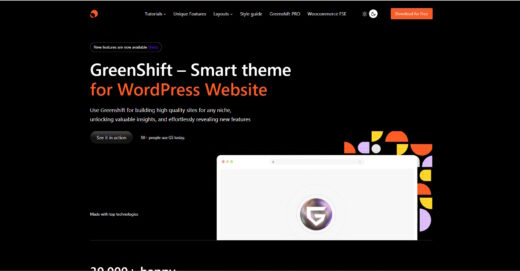
Greenshift
Buy / Get themeOverview
Greenshift is primarily a powerful block plugin ecosystem (70K+ installs) with a companion FSE theme (4K+ installs). The plugin delivers exceptional performance and deep ACF integration. However, the theme itself hasn't been updated since August 2025, the plugin has a history of critical security vulnerabilities, and a steep learning curve limits its appeal to experienced developers only.
Pros
- Excellent frontend performance
- Powerful developer features (ACF)
- Fast security patching by author
Cons
- History of critical plugin vulnerabilities
- Steep learning curve for non-developers
- Can break after major WordPress updates
Analysis
Greenshift is a modern Full Site Editing theme designed for developers and agencies who prioritize performance above all else. Its architecture is exceptionally lightweight, enabling websites to achieve near-perfect PageSpeed scores and Core Web Vitals. The theme and its companion block plugin offer a powerful suite of tools for building complex, dynamic websites, with particularly strong and deep integration for developers using Advanced Custom Fields (ACF) to manage custom data.
The primary trade-off for this power is complexity. The sheer volume of settings and controls within the block editor can be overwhelming for beginners and clients, presenting a significant learning curve. This makes Greenshift less suitable for simple projects or for handoffs where the client needs an intuitive editing experience. Furthermore, the ecosystem has a history of experiencing breaking changes and fatal errors immediately following major WordPress core updates, necessitating a cautious approach with staging environments.
Many of the most significant issues reported by the community, including a history of critical security vulnerabilities, relate specifically to the companion “Greenshift – animation and page builder blocks” plugin rather than the theme itself. While these vulnerabilities were serious, the development team has earned praise for their exceptionally rapid response, often issuing security patches within a day of a vulnerability’s disclosure. This positions Greenshift as a tool for professionals who can manage its complexity and update cadence in exchange for unparalleled performance.
Performance
Core Web Vitals (mobile)
| Metric | Mobile | Desktop | Target |
|---|---|---|---|
| LCP (Largest Contentful Paint) | 1.95 |
0.42 |
< 2.5s |
The theme's official demo achieved an excellent Mobile PageSpeed score of 97/100 when tested on 2026-02-13, with a fast LCP of 1.95s and a perfect CLS of 0. Community feedback and official documentation corroborate these findings, highlighting a performance-first architecture with a global style file of only 2kb [14, 15].
Greenshift is an excellent choice for projects where achieving top-tier performance and Core Web Vitals scores is a primary business requirement, as both lab data and community reports confirm its lightweight and efficient architecture.
Tested URL: https://theme.greenshiftwp.com/. View PageSpeed Insights report.
Client Handoff
How easy it is to hand this theme off to a client without ongoing developer support.
Score breakdown
| Criterion | Rating |
|---|---|
| Panel complexity | complex |
| Documentation quality | good |
| Learning curve | days |
Greenshift is safe for agency and freelance developers who can invest time in learning its extensive options and plan to manage the site long-term, leveraging its powerful features for custom builds.
Use caution when handing off a Greenshift-based site to clients, as the sheer number of options in the block editor can be overwhelming and lead to accidental design changes.
Avoid Greenshift for projects where the end-user is a beginner or requires a simple, intuitive editing experience, as the high-ceiling, high-maintenance nature of the toolset is not a good fit.
Scout recommendation
Recommended for developers building performance-critical, custom websites who can manage the system's complexity and shield clients from it using user role editors.
Alternatives: Kadence, Blocksy, GeneratePress
Pricing
Available plans
| Plan | Price | Type | Includes |
|---|---|---|---|
| Design Pack | $40 | GSAP animations, 3D blocks, Pin Scroll | |
| Woo Pack | $50 | Product templates, swatches, Quick Buy | |
| GreenLight PRO | $52 | Figma Converter, API Connector, AI Helpers | |
| All in One Pack | $60 | All packs + SEO/Marketing addon, Chart addon |
Plugin Compatibility
| Plugin | Category | Status | Notes |
|---|---|---|---|
| WooCommerce | E-commerce | Full support | The ecosystem provides stable, custom blocks to replace buggy default WooCommerce blocks, indicating strong compatibility and support [7]. |
| Advanced Custom Fields (ACF) | Other | Full support | The integration with ACF is a core strength, with dedicated blocks like "Meta Getter" designed for building custom, dynamic sites [5]. |
| WPML | Multilingual | Partial support | While officially compatible, some minor bugs related to select boxes and dynamic tag visibility have been reported and subsequently patched [8]. |
| Elementor | Page Builder | Limited support | Conflicts have been documented specifically with Elementor's popup content unlocking feature when certain Greenshift scripts are active [9]. |
Community Feedback
Analysis based on public support forums, security advisories, and user reviews.
FAQ
Sources & Methodology
Data confidence: HIGH (18 analytical sources, 18 total)
This analysis combines data from the official WordPress.org repository, the author's website, independent security advisories, user reviews, and public support forums to provide a comprehensive overview of the Greenshift theme and its ecosystem.
- [[1]] SentinelOne — Official docs
- [[2]] WPScan — Official docs
- [[3]] Wordfence Intelligence — Official docs
- [[4]] Patchstack — Official docs
- [[5]] WebTNG Review — review_site
- [[6]] WordPress.org Support Forum — forum
- [[7]] Greenshift Official Docs (WooCommerce) — documentation
- [[8]] Greenshift Changelog — changelog
- [[9]] Complianz Changelog — changelog
- [[10]] Reddit r/Wordpress — social
- [[11]] AppSumo Reviews — review_site
- [[12]] Greenshift Troubleshooting Docs — documentation
- [[13]] Greenshift Synced Pattern Docs — documentation
- [[14]] Greenshift Performance Docs — documentation
- [[15]] Greenshift Official FAQ — documentation
- [[16]] Greenshift Element Block Docs — documentation
- [[17]] WordPress.org (Theme) — marketplace
- [[18]] WordPress.org (Plugin) — marketplace
Analysis date: February 13, 2026
Compare Greenshift with…
Side-by-side data comparisons against similar themes.