
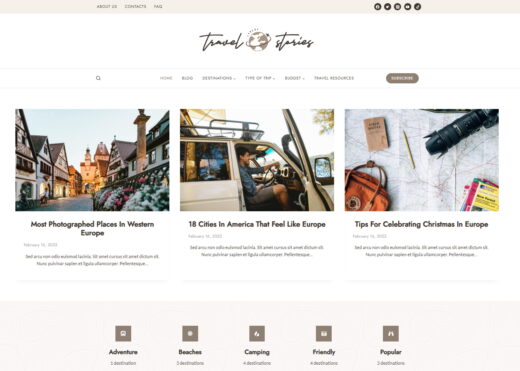
Kadence
Buy / Get themeOverview
Kadence is a powerful, fast, and highly customizable theme with an exceptionally feature-rich free version. However, its extensive options create a steep learning curve for non-developers, and there are significant, documented compatibility issues with popular plugins like WPML and WooCommerce. Of the 12 pain points identified, 3 affect the theme directly, while 9 relate to its companion plugins or broader ecosystem integrations.
Pros
- Powerful header and footer builder
- Excellent performance potential
- Very feature-rich free version
Cons
- Steep learning curve for beginners
- Critical conflicts with WPML and WooCommerce
- Updates can introduce breaking changes
Analysis
Kadence is a modern, block-based WordPress theme that has earned a strong reputation for its impressive speed and deep customization options. Its most celebrated feature is the drag-and-drop Header and Footer Builder, which provides a level of control typically found only in premium page builders. The free version is remarkably generous, making it a popular choice for developers and agencies who want a powerful foundation without an initial investment. When properly configured, Kadence sites can achieve excellent performance scores, making it a solid contender for projects where speed is a priority.
Despite its strengths, Kadence is not without significant drawbacks. The sheer number of options in the Customizer can be overwhelming for beginners, resulting in a steep learning curve. More critically, the theme and its ecosystem have a history of instability. Updates have been reported to cause fatal errors that can take a site offline, and there are well-documented, severe conflicts with essential plugins like WPML and WooCommerce. These issues make a staging server mandatory for any professional workflow involving Kadence.
Many of the most frequently reported problems, particularly fatal errors and compatibility issues, are linked to the companion Kadence Blocks plugin rather than the core theme itself. This is an important distinction, as the theme can be used with other block plugins, but most users adopt the full Kadence ecosystem. Therefore, potential users must evaluate not just the theme, but the stability of its entire suite of tools, and be prepared for rigorous testing and potential troubleshooting, especially on complex e-commerce or multilingual websites.
Performance
Core Web Vitals (mobile)
| Metric | Mobile | Desktop | Target |
|---|---|---|---|
| LCP (Largest Contentful Paint) | 1.77 |
1.63 |
< 2.5s |
| CLS (Cumulative Layout Shift) | 0.01 |
0.01 |
< 0.1 |
The theme achieved a good mobile PageSpeed score of 73/100 in a test on a third-party starter template, with excellent Core Web Vitals (1.77s LCP, 0.01 CLS). While this demonstrates strong performance potential [8], some users report struggling to pass Core Web Vitals on their own sites, suggesting that achieving top scores requires careful optimization [10].
Kadence is a safe choice for performance-focused projects where the developer is comfortable with optimization techniques, as it is capable of achieving excellent PageSpeed scores when configured correctly [8].
Use caution if you expect top-tier performance out of the box, as community feedback indicates that some users fail Core Web Vitals on mobile without significant optimization efforts [10].
Avoid this theme if you are building a content-heavy site for a client with zero technical skills for optimization, as maintaining high performance scores may require ongoing technical intervention.
Tested URL: https://startertemplatecloud.com/g88/. View PageSpeed Insights report.
Client Handoff
How easy it is to hand this theme off to a client without ongoing developer support.
Score breakdown
| Criterion | Rating |
|---|---|
| Panel complexity | complex |
| Documentation quality | good |
| Learning curve | days |
This theme is safe for experienced developers and agencies who can navigate its complex options and implement a proper staging workflow before deploying updates.
Use caution when handing off a Kadence-built site to non-technical clients, as the extensive customizer options and block-based workflow can be overwhelming compared to simpler themes or page builders [18, 21].
Avoid Kadence for simple projects managed by do-it-yourself users or beginners who need a straightforward, plug-and-play solution, as the learning curve is significant and can lead to frustration [16].
Scout recommendation
Kadence is best suited for professional builders who can leverage its deep customization capabilities. For client handoffs, consider creating detailed documentation or providing training to mitigate the complexity.
Alternatives: GeneratePress, Astra, Blocksy
Pricing
Available plans
| Plan | Price | Type | Includes |
|---|---|---|---|
| Free | Free | Full theme + header/footer builder + global colors + Kadence Blocks + 250 AI credits/yr | |
| Express (Yearly) | $69 | Premium templates, design library, up to 3 sites. No Pro addon or Blocks Pro | |
| Plus (Yearly) | $169 | Kadence Pro + Blocks Pro + Shop Kit, up to 10 sites | |
| Ultimate (Yearly) | $299 | Full suite, all plugins, white-label, up to 25 sites | |
| Lifetime Ultimate (25 sites) | $899 | One-time payment. Lifetime updates & support, all future products, 16K AI credits | |
| Lifetime Ultimate (1000 sites) | $999 | One-time payment. Same as above, up to 1000 sites |
Plugin Compatibility
| Plugin | Category | Status | Notes |
|---|---|---|---|
| WPML | Multilingual | Limited support | Kadence Blocks has a known major conflict that causes fatal errors on the WPML "Theme & plugin localization" page, blocking translation management. WPML officially lists new blocks as not fully compatible. |
| WooCommerce | E-commerce | Partial support | While generally compatible, there are multiple user reports of fatal PHP memory exhaustion errors when using Kadence and WooCommerce together, which can take a store offline. |
| Elementor | Page Builder | Partial support | Generally works, but a specific jQuery conflict has been reported between Elementor Pro and the Kadence WooCommerce Email Customizer plugin, causing errors. |
| The Events Calendar | Other | Partial support | A user reported a memory exhaustion error specifically when using the Event Tickets addon with Kadence, suggesting a potential conflict under certain conditions. |
Demo Gallery


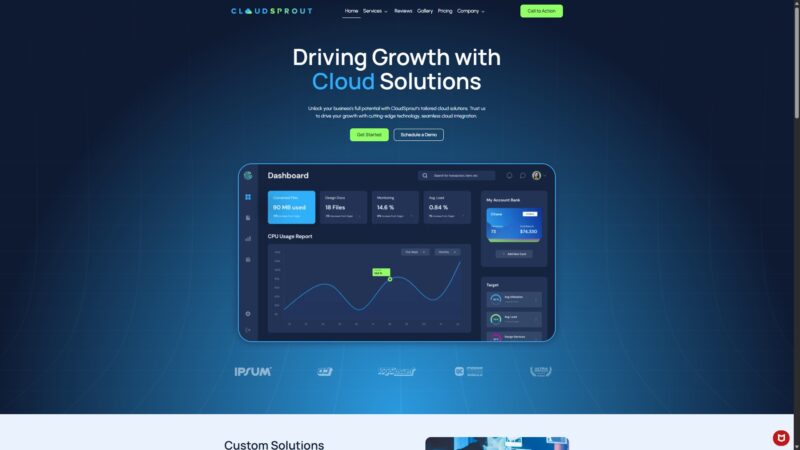

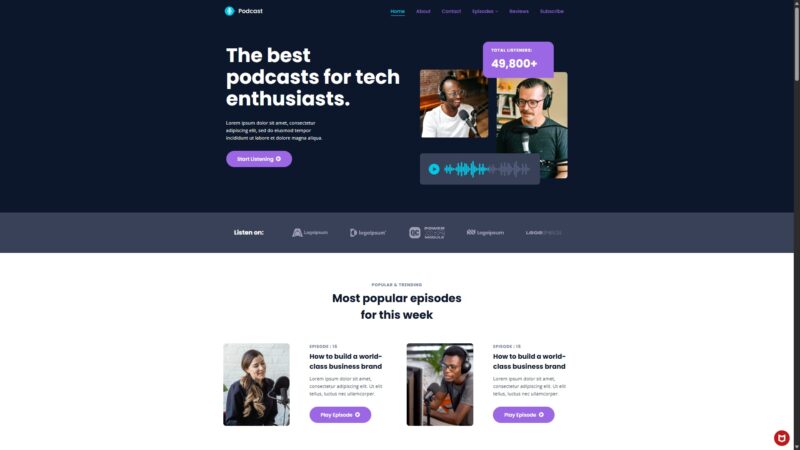
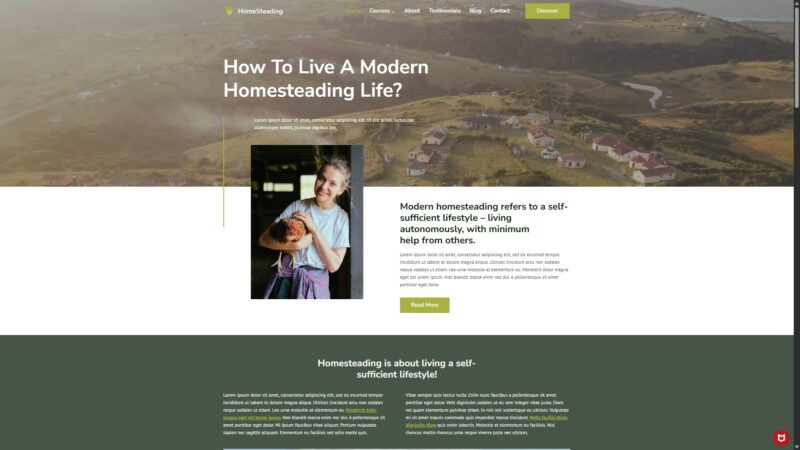
Community Feedback
Analysis based on user-reported issues from WordPress.org support forums, social media, and third-party reviews, filtered for relevance and recency.
FAQ
Sources & Methodology
Data confidence: HIGH (25 analytical sources, 25 total)
- [[1]] WordPress.org Support — forum
- [[2]] WPML Support Forum — forum
- [[3]] WPML Support Forum — forum
- [[4]] WPML Errata — documentation
- [[5]] Reddit — social
- [[6]] WordPress.org Support — forum
- [[7]] WordPress.org Support — forum
- [[8]] Reddit — social
- [[9]] BlogAid — review_site
- [[10]] WordPress.org Support — forum
- [[11]] Reddit — social
- [[12]] Kadence WP — changelog
- [[13]] Kadence WP Support — forum
- [[14]] Reddit — social
- [[15]] Kadence WP Docs — documentation
- [[16]] Reddit — social
- [[17]] WordPress.org Support — forum
- [[18]] Kadence WP Docs — documentation
- [[19]] Planetshine — review_site
- [[20]] Webidextrous — review_site
- [[21]] Kadence WP Docs — documentation
- [[22]] WordPress.org Plugins — marketplace
- [[23]] Kadence WP — Official docs
- [[24]] GitHub Issues — development
- [[25]] WordPress.org — marketplace
- [[26]] Kadence Support Forum (Layout Breaking) — forum
- [[27]] WPML Support (Multiple Kadence Bugs) — forum
- [[28]] WPML Compatibility Page (Kadence Blocks) — documentation
- [[29]] EmpireForged Review 2026 — review_site
- [[30]] WPIndigo Review 2026 — review_site
- [[31]] Cybernaira (Kadence vs Astra 2026) — review_site
- [[32]] GauravTiwari Review 2026 — review_site
- [[33]] EcommerceLauncher Review 2026 — review_site
- [[34]] WPIndigo Review 2026 (Ben Ritner departure note) — review_site
Analysis date: February 26, 2026
Compare Kadence with…
Side-by-side data comparisons against similar themes.