
TheGem
Buy / Get themeOverview
TheGem is a powerful and highly flexible multipurpose theme ideal for agencies and experienced developers building complex websites. While it boasts excellent WooCommerce integration and extensive customization options, it suffers from a steep learning curve, a history of security vulnerabilities, and requires significant manual optimization to achieve good performance.
Pros
- Highly customizable with 400+ demos
- Excellent developer-friendly WooCommerce features
- Extensive documentation and fast security patching
Cons
- History of multiple security vulnerabilities
- Overwhelming options panel for beginners
- Requires significant optimization for good performance
Analysis
TheGem is a popular and feature-packed multipurpose theme sold on ThemeForest, designed for users who need maximum flexibility and a vast library of pre-built designs. It appeals strongly to web design agencies and experienced developers due to its deep integration with both WPBakery and Elementor, extensive theme options, and powerful tools for creating highly customized websites, particularly for e-commerce projects using WooCommerce.
However, this power comes with significant trade-offs. The theme’s backend is complex and can be overwhelming for beginners or clients, making a simplified handoff process essential. Performance is another key concern; while the theme is marketed as “high-performance,” achieving good Core Web Vitals scores typically requires considerable manual optimization beyond the built-in settings. Furthermore, TheGem has a history of security vulnerabilities, and while the developers are commendably fast with releasing patches, it places the burden on site owners to stay vigilant with updates.
Ultimately, TheGem is best suited for technical users who can navigate its complexity, implement necessary performance and security measures, and follow a professional development workflow that includes testing updates on a staging site. It is a powerful tool for building sophisticated, feature-rich websites, but it is not a good choice for DIY users, beginners, or anyone looking for a simple, lightweight, and low-maintenance solution.
Performance
Core Web Vitals (mobile)
| Metric | Mobile | Desktop | Target |
|---|---|---|---|
| LCP (Largest Contentful Paint) | 3.45 |
2.46 |
< 2.5s |
| CLS (Cumulative Layout Shift) | 0.03 |
0.05 |
< 0.1 |
The vendor's demo page scored 69/100 on mobile PageSpeed, which is in the "needs work" category, with a Largest Contentful Paint of 3.45 seconds. Community feedback confirms that achieving good real-world Core Web Vitals often requires significant manual optimization to address issues like heavy DOM depth and slow Time to First Byte [7], [8].
This theme is suitable for performance-conscious projects only if you are an experienced developer prepared to implement advanced optimizations, such as manual LCP image preloading, server-level caching, and careful asset management.
Exercise caution if you expect top-tier performance out of the box, as the theme's demo scores a 69 on mobile and community feedback indicates that achieving good Core Web Vitals requires significant manual effort.
Avoid TheGem if your project has a strict performance budget and you lack the time or expertise for advanced optimization, as the theme's potential for high LCP and a heavy DOM can be challenging for non-developers to resolve.
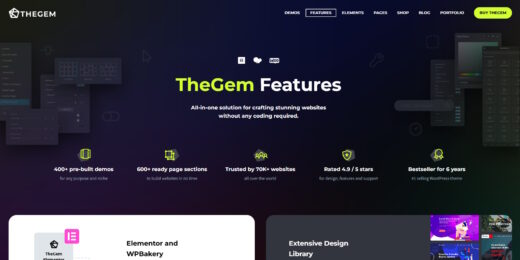
Tested URL: https://codex-themes.com/thegem/wordpress-woocommerce-theme/theme-features/. View PageSpeed Insights report.
Client Handoff
How easy it is to hand this theme off to a client without ongoing developer support.
Score breakdown
| Criterion | Rating |
|---|---|
| Panel complexity | complex |
| Documentation quality | excellent |
| Learning curve | days |
TheGem is a safe choice if the website will be managed by experienced developers who can leverage the extensive options to build a custom solution and then configure a simplified editing experience for clients before handoff.
Use this theme with caution if the end-user or client will be managing the site directly after launch, as the vast number of theme options can be overwhelming and lead to user error without proper training.
Avoid TheGem if you are building a site for a client who requires a minimal backend and wants to make significant layout changes themselves, as the complexity is not suitable for a DIY, non-technical user.
Scout recommendation
This theme is best suited for agency-led projects where developers can harness its power. For client handoff, it is crucial to use its features to lock down the layout and provide a streamlined content editing interface.
Alternatives: Avada, Enfold, Bridge
Pricing
Available plans
| Plan | Price | Type | Includes |
|---|---|---|---|
| Regular License | $59 | Single site, end users not charged | |
| Extended License | $2,900 | Single site, end users can be charged |
Plugin Compatibility
| Plugin | Category | Status | Notes |
|---|---|---|---|
| Elementor | Page Builder | Partial support | Interaction effects and parallax backgrounds can fail when Elementor's "Element Caching" feature is enabled, indicating a script conflict. |
| WooCommerce | E-commerce | Full support | Provides excellent integration, including a unique "WordPress Hook" element to ensure compatibility with third-party WooCommerce plugins like YITH. |
| Advanced Custom Fields (ACF) | Custom Fields | Full support | The theme developers have actively patched minor issues to ensure full compatibility with ACF fields used within theme elements. |
| eForm | Forms & Contact | Partial support | Users have reported issues with "forever loading forms" that may require manual CSS adjustments or disabling specific optimization settings to resolve. |
| YITH WooCommerce Plugins | E-commerce | Full support | The theme's correct use of standard WooCommerce hooks ensures strong compatibility with popular extension suites like YITH. |
Prioritize using WooCommerce and ACF which have excellent support. Be cautious with Elementor’s caching features and test third-party form builders thoroughly before deploying.
Community Feedback
Analysis based on user reviews, community forums, and security vulnerability databases.
FAQ
Sources & Methodology
Data confidence: HIGH (15 analytical sources, 16 total)
This analysis combines scraped data from the official marketplace with a manual review of security databases, community forums like Reddit, and independent review sites to assess real-world performance, user issues, and overall theme quality.
- [[1]] WPScan — Official docs
- [[2]] WPScan — Official docs
- [[3]] WPScan — Official docs
- [[4]] Patchstack — Official docs
- [[5]] Patchstack — Official docs
- [[6]] Patchstack — Official docs
- [[7]] Reddit — social
- [[8]] Reddit — social
- [[9]] Official Changelog — Official docs
- [[10]] Reddit — social
- [[11]] LowCostWebAgency — review_site
- [[12]] Customer Reviews — review_site
- [[13]] eForm Plugin Support — documentation
- [[14]] WPLift — review_site
- [[15]] Official Documentation — documentation
- [[16]] ThemeForest — marketplace
Analysis date: February 5, 2026
Compare TheGem with…
Side-by-side data comparisons against similar themes.