
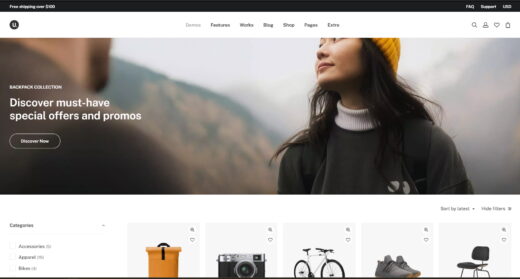
Uncode
Overview
Uncode is a visually stunning and highly flexible theme with an extensive library of demos, making it a popular choice for creative agencies. However, it suffers from significant drawbacks, including poor out-of-the-box performance, critical plugin incompatibilities with tools like Elementor Pro and WPML, and a history of updates that can break live sites. Its complexity makes it best suited for experienced developers who can manage its steep learning curve and technical challenges.
Pros
- High-quality design and extensive demo library
- Large library of wireframe templates for rapid building
- Active development with regular feature updates
Cons
- Poor out-of-the-box performance requires expert tuning
- Critical incompatibility with Elementor Pro Theme Builder
- Updates have a history of breaking live websites
Analysis
Uncode is a best-selling theme on ThemeForest, celebrated for its pixel-perfect design, creative flexibility, and a massive library of over 100 pre-built demo sites and 750 wireframe templates. It empowers developers to build visually rich and complex websites using its deeply integrated version of the WPBakery Page Builder. With active development and a large user base, it offers a powerful toolkit for agencies and freelancers aiming to deliver high-end, custom-designed projects.
However, this power comes with significant technical baggage. The theme’s most notable weakness is its poor out-of-the-box performance, which requires expert-level knowledge and considerable time to optimize for acceptable loading speeds. Furthermore, Uncode suffers from critical plugin incompatibilities, most seriously with Elementor Pro’s Theme Builder, which causes fatal errors, and WPML, which can cripple performance on large multilingual sites. Users also frequently report that theme updates can introduce site-breaking bugs, making a staging environment an absolute necessity.
Ultimately, Uncode is a tool for seasoned professionals, not for beginners or for projects that need to be handed off to non-technical clients. Its complex backend and steep learning curve can be overwhelming for end-users. It is best suited for developers and agencies who can manage its performance demands, navigate its compatibility issues, and implement a rigorous testing protocol for updates. For those who can master its complexities, it remains a capable, if challenging, platform for creative web design.
Performance
Core Web Vitals (mobile)
| Metric | Mobile | Desktop | Target |
|---|---|---|---|
| LCP (Largest Contentful Paint) | 3.09 |
2.71 |
< 2.5s |
| CLS (Cumulative Layout Shift) | 0.01 |
0.02 |
< 0.1 |
The Mobile PageSpeed score is 53/100, which falls into the 'needs_work' category, based on a test of the official vendor demo on 2026-02-27. This score is impacted by a Largest Contentful Paint (LCP) of 3.09 seconds, which needs improvement, while the Cumulative Layout Shift (CLS) of 0.01 is good.
This theme can achieve good performance if you are an experienced developer prepared to implement advanced optimization techniques, including careful configuration of its extensive performance settings and using server-side caching [4].
Exercise caution if you expect fast loading times out of the box, as multiple community reports and performance tests confirm the theme is slow without significant, time-consuming manual optimization efforts [9].
Avoid Uncode for projects on basic shared hosting or if you lack the technical expertise for performance tuning, as its default configuration can lead to poor Core Web Vitals and a frustrating user experience.
Tested URL: https://undsgn.com/uncode/homepages/creative-lab/. View PageSpeed Insights report.
Client Handoff
How easy it is to hand this theme off to a client without ongoing developer support.
Score breakdown
| Criterion | Rating |
|---|---|
| Panel complexity | complex |
| Documentation quality | good |
| Learning curve | days |
This theme is a safe choice if the website will be exclusively managed by an experienced developer who is proficient with the WPBakery page builder and its complex, nested structural logic [14].
Use caution if you plan to hand the website over to a non-technical client, as the WPBakery-based interface and extensive theme options panel are known to be overwhelming and difficult to learn for beginners [14].
Avoid Uncode if the end-user requires a simple, intuitive backend for making their own content updates, as the steep learning curve and developer-centric panel are poorly suited for client-managed projects [17].
Scout recommendation
Uncode is best suited for agency projects where the developer retains full control over maintenance and updates. For projects requiring client handoff, consider providing extensive training and documentation or choosing a theme with a more user-friendly editor like Elementor or the native block editor.
Alternatives: Avada, Enfold, or block-based themes like Kadence for a more intuitive client experience.
Pricing
Available plans
| Plan | Price | Type | Includes |
|---|---|---|---|
| Regular License | $59 | Single site, end users not charged | |
| Extended License | $2,950 | Single site, end users can be charged |
Plugin Compatibility
| Plugin | Category | Status | Notes |
|---|---|---|---|
| Elementor Pro | Page Builder | Not tested | Uncode is fundamentally incompatible with Elementor Pro's Theme Builder, causing critical 500 errors when used for headers or footers. |
| WooCommerce | E-commerce | Partial support | A major, long-standing bug breaks the product gallery layout on Safari browsers. Updates have also been reported to break AJAX product filters. |
| WPML | Multilingual | Limited support | On large sites, using WPML with Uncode can cause severe performance degradation due to an excessive number of database queries. |
| Wordfence | Security & Backup | Partial support | The theme's update mechanism can trigger a false positive "anti-antiupdates" alert in Wordfence, which the developer advises to ignore. |
It is recommended to stick with the bundled plugins and avoid Elementor Pro’s theme builder. For WooCommerce sites, thoroughly test product pages on Safari before launch to check for the known gallery bug.
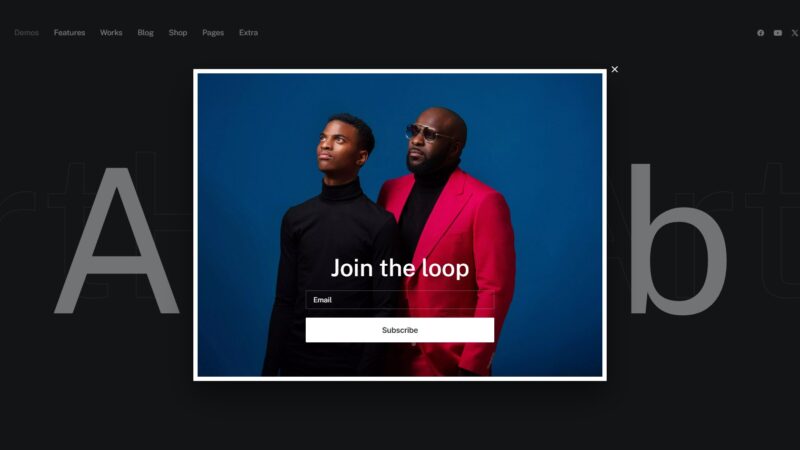
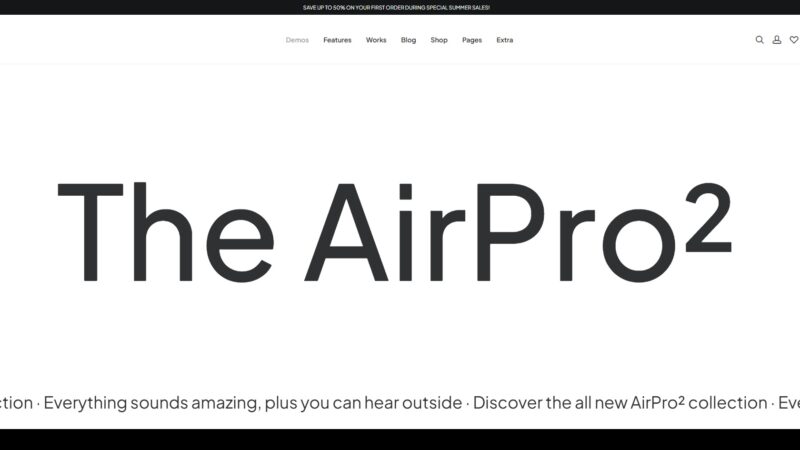
Demo Gallery
















Community Feedback
Analysis based on user reviews, support forums, and social media discussions.
FAQ
Sources & Methodology
Data confidence: HIGH (20 analytical sources, 20 total)
This analysis combines scraped data from the theme's official marketplace page with a manual review of user comments, support forums, social media discussions, and independent reviews to identify recurring themes, pain points, and strengths.
- [[1]] Themeora — review_site
- [[2]] Reddit — social
- [[3]] Reddit — social
- [[4]] Uncode Support — documentation
- [[5]] WPHive — review_site
- [[6]] Reddit — social
- [[7]] WordPress.org Forums — forum
- [[8]] Reddit — social
- [[9]] WPML — documentation
- [[10]] Uncode Support — documentation
- [[11]] Uncode Official — Official docs
- [[12]] ThemeForest — marketplace
- [[13]] Uncode Support — documentation
- [[14]] Uncode Official — Official docs
- [[15]] Reddit — social
- [[16]] Uncode Official — Official docs
- [[17]] Reddit — social
- [[18]] Uncode Support — documentation
- [[19]] WPMayor — review_site
- [[20]] ThemeForest — marketplace
Analysis date: February 27, 2026
Compare Uncode with…
Side-by-side data comparisons against similar themes.